How to Tell if an Image is AI-Generated: 7 Tell-Tale Signs
With AI image generators like DALL-E, Midjourney, and Stable Diffusion becoming incredibly realistic, it's harder than ever to distinguish real photos from AI-generated ones. Here are 7 expert techniques to spot the difference.
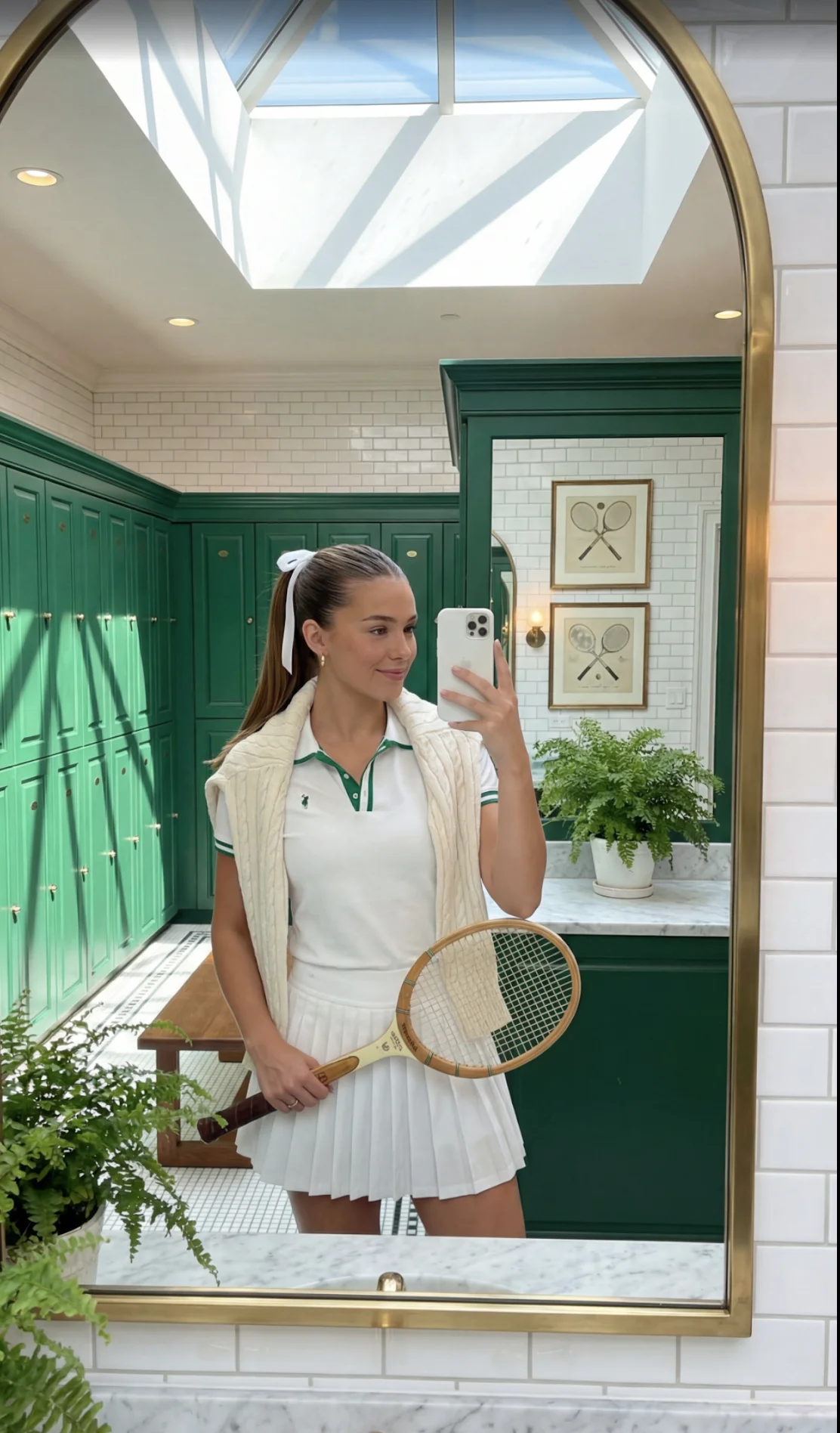
Example of an AI-generated image with subtle artifacts
Why This Matters in 2025
AI-generated images are now so convincing that even experts can be fooled. From social media misinformation to fake news articles, synthetic images are being used to deceive millions of people daily. Understanding how to detect them is crucial for maintaining trust in visual media.
💡 Pro Tip
While these techniques are helpful, the most reliable way to detect AI-generated images is using specialized detection tools like FakeOut's AI Image Detector, which analyzes pixel-level artifacts invisible to the human eye.
1. Check the Hands and Fingers
What to look for: AI models notoriously struggle with hands. Look for:
- Extra or missing fingers (more or fewer than 5)
- Fingers that bend at unnatural angles
- Hands that blend into objects or backgrounds
- Fingers with inconsistent lengths or proportions
- Thumbs on the wrong side of the hand
Why it happens: AI training data often has hands in various positions and angles, making it difficult for models to learn consistent hand anatomy.
2. Examine Text and Lettering
What to look for: Text in AI images is often nonsensical or malformed:
- Random letters or gibberish instead of real words
- Letters that look almost right but are slightly off
- Inconsistent fonts within the same sign or label
- Text that curves or warps unnaturally
- Numbers that don't make sense (like a clock showing 13:72)
Example: A street sign might say "STAP" instead of "STOP", or a book cover might have random character-like shapes instead of legible text.
3. Look for Symmetry Issues
What to look for: Human faces and objects should be symmetrical, but AI often creates:
- Earrings that don't match on both ears
- Eyes that are different sizes or shapes
- Asymmetrical glasses or sunglasses
- Hair that's styled differently on each side
- One eye looking slightly off-direction
Why it happens: AI generates images from random noise, and sometimes the two sides of symmetrical objects don't match perfectly.
4. Check the Background Details
What to look for: AI often creates backgrounds that look plausible at first glance but fall apart under scrutiny:
- Buildings with windows that don't align properly
- Trees with branches that merge illogically
- Objects that blur or melt into the background
- Reflections that don't match the scene
- Crowds of people where faces are blurred or distorted
Pro tip: Zoom in on background elements. AI-generated backgrounds often become increasingly abstract and nonsensical the closer you look.
5. Analyze Lighting and Shadows
What to look for: Inconsistent lighting is a major red flag:
- Shadows pointing in different directions
- Objects lit from different light sources
- Missing shadows where they should exist
- Shadows that are too dark or too light for the scene
- Highlights on faces that don't match the environment
Example: A person might have a strong shadow to their left, while a nearby object has its shadow to the right – physically impossible with a single light source.
6. Look for "Too Perfect" Skin Texture
What to look for: AI-generated faces often have:
- Overly smooth, poreless skin that looks plastic
- No skin texture, pores, or blemishes whatsoever
- Uniform skin tone with no natural variation
- Teeth that are too perfect and uniform (like veneers)
- Hair that looks painted on rather than individual strands
Paradox: While filters make real photos look "too perfect," AI images often look both too perfect AND slightly off at the same time.
7. Check for Artifacts and Blurring
What to look for: Technical artifacts that reveal AI generation:
- Watercolor-like blurring at edges of objects
- Repeated patterns or textures (like wallpaper)
- Objects that seem to "melt" into each other
- Pixelation or graininess in specific areas
- Color gradients that don't follow natural light physics
Note: Modern AI models (2025) are much better at avoiding these artifacts, so their absence doesn't guarantee an image is real.
Quick Checklist: Is This Image AI-Generated?
If you checked "no" to 3+ boxes, the image might be AI-generated.
The Limitations of Manual Detection
While these 7 signs are helpful, AI image generation is advancing rapidly. Models like DALL-E 3, Midjourney V6, Stable Diffusion XL, and Nano Banana Pro are getting better at avoiding these telltale errors. In 2025, some AI-generated images are virtually indistinguishable from real photographs.
That's where automated detection tools become essential. FakeOut's AI Image Detector uses advanced machine learning to analyze images at the pixel level, detecting artifacts and patterns that are invisible to the human eye.
What AI Detection Tools Analyze
Professional AI detection tools like FakeOut examine:
- Noise patterns: AI images have unique noise signatures
- Compression artifacts: Different from camera compression
- Frequency analysis: Distribution of colors and tones
- EXIF data: Metadata that may reveal generation method
- Pixel patterns: Microscopic artifacts from the generation process
- Statistical anomalies: Patterns that deviate from natural photography
Try It Yourself
Ready to test your skills? Download the FakeOut app (available free on Google Play and App Store) to:
- Upload any image for instant AI detection
- Get a confidence score showing likelihood of AI generation
- Play the detection game to train your eye
- Learn from detailed analysis results
The Bottom Line
While manual inspection using these 7 techniques can help identify obvious AI-generated images, professional detection tools are becoming necessary as AI technology improves. Combining human judgment with automated analysis provides the best defense against synthetic media.
Related Articles
Published by
FakeOut Team